Our top picks across every budget and panel - entry FHD screens, high-refresh esports panels, QHD all-rounders, 4K OLED flagships and portable travel displays. Compare prices, work out which spec actually matters for you, then dive into the full category review.
As an Amazon Associate we earn from qualifying purchases. We could also earn a fee through some links when you click on them.
The Quick Answer
BEST OVERALL
The best monitor in India for most people is the LG 27GS60QC UltraGear (₹15,999) - a 27-inch curved QHD panel that is sharp enough for all-day work and fast enough for serious gaming, which is the combination most desks actually need.
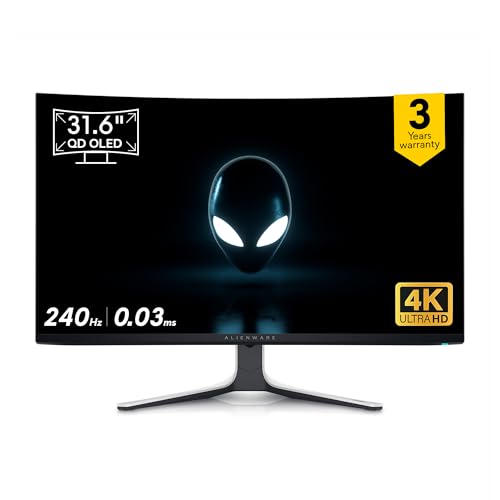
On a budget, the Acer Nitro VG240Y X1 (₹9,499) gets you a 200Hz IPS panel under ₹10,000. For high-frame-rate play without losing resolution the Samsung Odyssey G6 (₹34,990) is the pick, while the Alienware AW3225QF (₹93,749) is the 4K QD-OLED flagship.
One standout pick per budget and panel type - check the live price, or open the in-depth category review for more options.
BEST OVERALL
LG 27GS60QC UltraGear
The sweet spot for most desks - a 27-inch curved QHD panel where the resolution jump from 1080p is obvious and the refresh rate is still high enough for competitive play.
Find what you actually do at the desk in the first column - it tells you
which spec to prioritise before you ever look at brands, then points you
to our pick and the full ranking for that category.
Refresh Rate, Resolution or Panel — What Should You Pay For?
Monitor specs trade against each other at every budget, and the right answer changes with what is on your screen. Here's what each one buys you, then open the full ranking for your pick.
It depends on what is on the screen. For competitive games, refresh rate wins: going from 60Hz to 144Hz is a bigger, more obvious change than going from FHD to QHD, and it helps you track moving targets. For work, photo editing or anything text-heavy, resolution wins, because sharper text is what you look at for eight hours. If you do both on one screen, a 27-inch QHD panel at 144Hz or above is the balanced answer.
Is a curved monitor actually better?
It helps on large and ultrawide panels and does very little on small ones. The curve exists to keep the edges of a wide screen roughly the same distance from your eyes, so the benefit scales with width - noticeable at 32 inches and on ultrawides, close to irrelevant at 24. Curved panels are also usually VA, so you are often really choosing a panel type. Do not pay a premium for curve alone on a 24-inch monitor.
What refresh rate can my PC actually use?
Only the frames your graphics card renders. A 240Hz monitor shows 240 distinct frames per second only if the game is running at 240 fps - otherwise you see the frame rate your card manages, on a panel capable of more. Check typical frame rates for the games you play at your chosen resolution first, then buy a panel that comfortably exceeds it. Adaptive sync (FreeSync or G-Sync) smooths out the mismatch but does not create frames.
Go Deeper: Our Monitor Reviews by Budget & Type
Each category review compares the current best panels on refresh rate, resolution, panel type and ports.